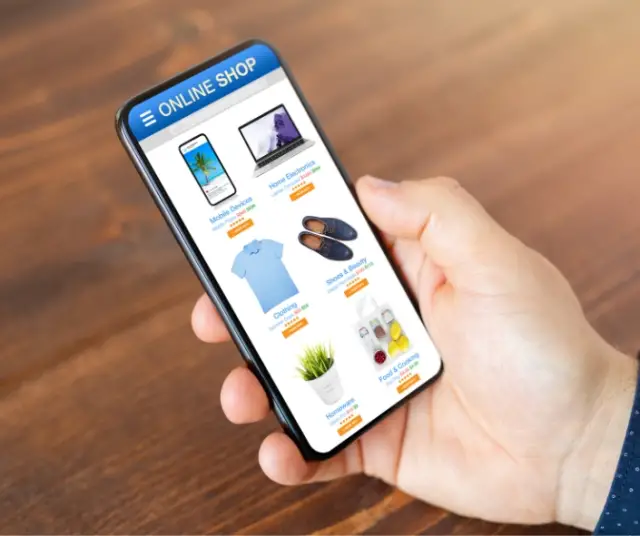
Shopping on Amazon has become a common activity for millions of people around the world. The platform offers a wide variety of products, competitive prices and the convenience of shopping from the comfort of your home. However, for those who are new to the online shopping experience or simply want to improve their ability to find and buy what they need, a step-by-step guide can be invaluable.
1. Create an Amazon Account
Before diving into the vast universe of products available on Amazon, it is essential to establish a personalized connection through creating an account. This simple but crucial process lays the foundation for a smooth and secure shopping experience. Here we will guide you through the steps to create your Amazon account.
Accessing the Amazon portal is the starting point. Once on the main page, go to the upper right corner, where you will find the "Account and lists" option. Clicking on this option will display a menu that allows you to log in if you already have an account or create a new one.
By selecting "Create your Amazon account", you will be taken to a form that will request basic information. This will include your name, email address, and creating a password. It is essential to choose a strong password to protect your account against potential security threats.
The email address you provide will become your unique ID on Amazon. Make sure you use a valid and frequently accessed address, as it will be the main means of communication between you and the platform.
Once these steps are completed, your account will be officially active. However, to get the most out of your Amazon shopping experience, you can further customize your account. You can add alternate shipping addresses, set your payment preferences, and explore notification options to stay informed about exclusive offers and product updates.
Creating an Amazon account not only makes it easier to make purchases, but also gives you access to other beneficial features. You can save products to wish lists, follow your favorite stores, and receive personalized recommendations based on your previous searches and purchases.
2. Explore and Search Products
Once you've established your Amazon account, the next exciting step is to explore and search for products. With millions of items available, the platform offers a virtually endless variety of options to satisfy your needs and wants. Here we will guide you through effective strategies to navigate this vast catalog and find exactly what you are looking for.
The most direct way to discover products is by using the search bar located at the top of the main page. You can enter keywords, product names, or even specify brands to refine your results. The autocomplete feature will help you suggest relevant terms, making your search even easier.
If you prefer to browse specific categories, Amazon's home page features a variety of options organized by topics such as electronics, fashion, home and kitchen, among others. By clicking on these categories, you can dive into more detailed subcategories, thus refining your search according to your preferences.
The ability to filter search results is another powerful tool on Amazon. You can adjust the results based on your specific criteria, such as price range, preferred brands, or specific product features. This allows you to find products that perfectly fit your needs and budget.
Reviews from other buyers are a valuable source of information. After selecting a product of interest, take a moment to explore the opinions and experiences shared by those who have already purchased it. This can provide you with useful information about the quality of the product, its durability, and anything else you should consider before making a purchase.
For those looking for deals and discounts, the "Deals" section on Amazon's home page is a treasure trove of opportunities. Here you will find products with significant discounts, flash sales and special promotions that can make your purchases even more rewarding.
3. Add Products to the Shopping Cart
When you find a product you would like to purchase, simply click the "Add to Cart" button. You can continue browsing and adding more products to your cart before proceeding to checkout.
4. Review Cart and Proceed to Payment
Once you've finished adding products to your cart, head over to your cart to review your selection. Here you can:
- View the products in your cart.
- Modify product quantities.
- Delete products that you no longer want to buy.
- When you're happy with your selection, click "Proceed to Checkout." This is where you will enter your shipping and payment information.
5. Enter Shipping and Payment Information
To continue with your purchase, you will need to provide shipping information. This includes your delivery address and, in some cases, the option to choose between different shipping methods.
Next, enter your payment information. Amazon accepts a variety of options, such as credit cards, debit cards, and other payment methods. Be sure to review the information carefully before confirming your order.
6. Apply Discount Codes or Coupons
Before checking out, check to see if you have discount codes or coupons that can be applied to your order. You can enter these codes in the checkout section to get additional discounts on your products.
7. Review and Confirm the Order
Before confirming your order, make a final review. Please make sure the shipping address and product information are correct. Also check the total cost, including taxes and shipping charges.
8. Track your Order
After completing your purchase, you will receive an order confirmation email. This email will contain details about the products purchased, the shipping address and the estimated delivery date. You can track your order by logging into your Amazon account and going to the "My Orders" section.
Always remember to review return policies and keep an eye out for special offers and discounts to maximize your Amazon shopping experience. Happy shopping!